Uploading SSL certificates
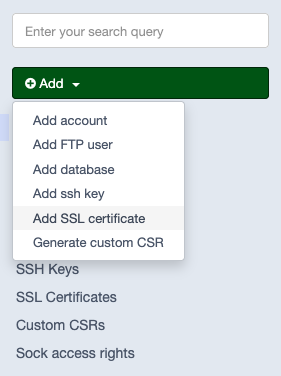
To add an SSL certificate, navigate to the top left corner and select Add.
In the dropdown menu select Add SSL certificate.
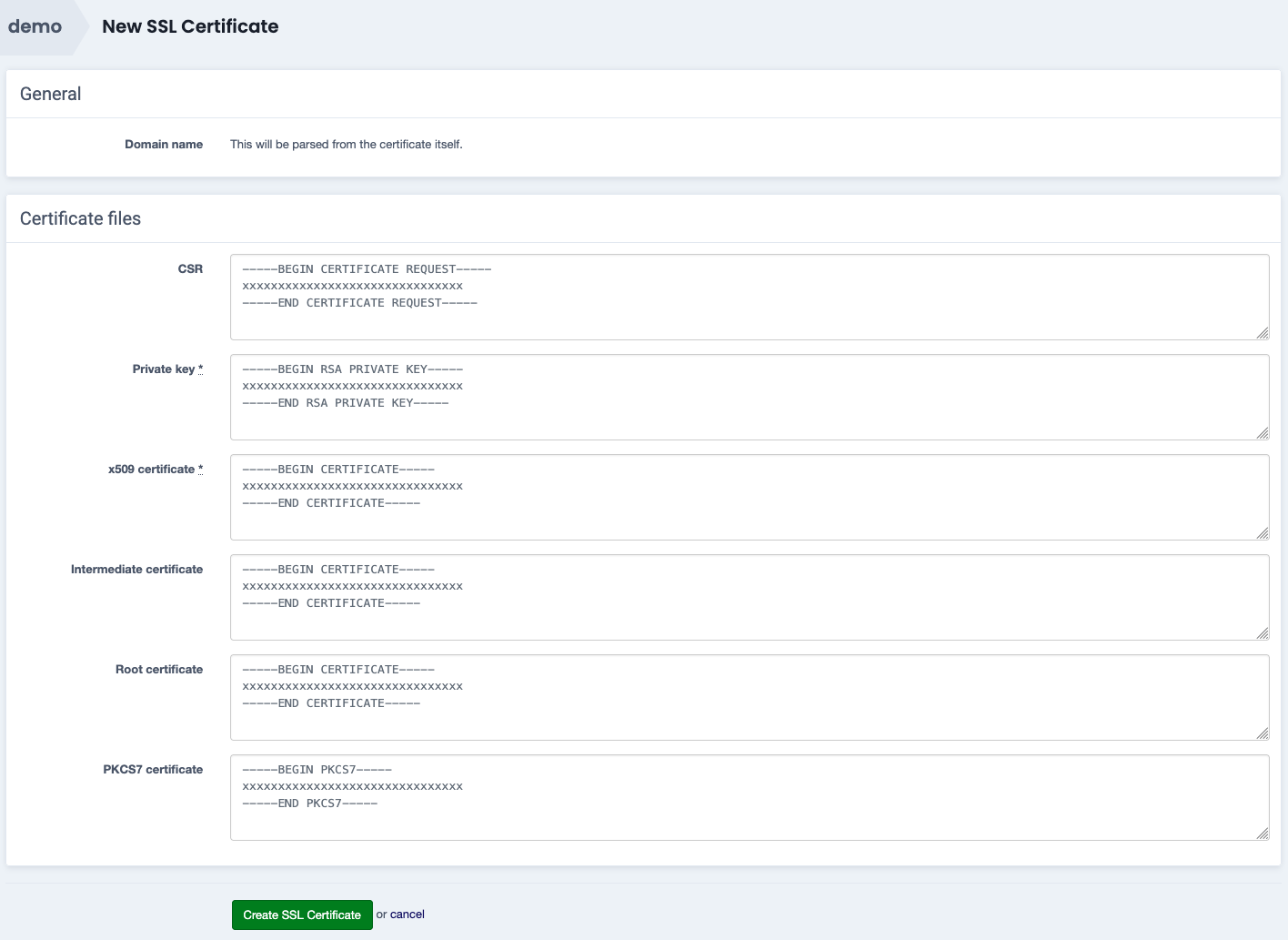
Enter all the certificate parts in the Certificate files section, and confirm with Create SSL Certificate.
CSR - optional
Private key - required
x509 certificate - required
Intermediate certificate - required in almost all cases, unless the certificate is self signed or the CA does not provide one
Root certificate - optional, but recommended
PKCS7 certificate - optional
Once the certificate upload succeeds, Sock will automatically link it to all the domains and subdomains it covers, and deploy it on the relevant virtual server(s).
encrypted private key
Sock does not support encrypted private keys.
The private key will need to be decrypted first, in order to be accepted as valid input.
Expiration notifications
Our team will notify you via e-mail about expiring certificates around 30 days in advance.
Avoid installation costs
If you upload SSL certificates yourself, you avoid additional, one-time setup costs for installing and monitoring those certificates.
This fee only applies to SSL certificates that are not supplied via Combell.