Remove a Solr core
When removing a Solr core, Sock will perform a soft delete of the asset and delete the data on the server.
The asset will remain present in Sock with the status Deleted. This allows a restore of that asset in Sock.
An asset restore only applies to its configuration in Sock, not to the data that was stored on the server.
Reusing names of removed assets
As long as the deleted asset remains in Sock, reusing that asset's name will not be possible, because Sock enforces that all asset names are unique.
Contact our support team if you want to restore, or permanently remove this asset.
Deleted assets can be viewed in the Solr cores widget.
In this example the Solr core demo was deleted, which is displayed with greyed out and strikethrough text.

To remove a Solr core, navigate to the Account it is linked to.
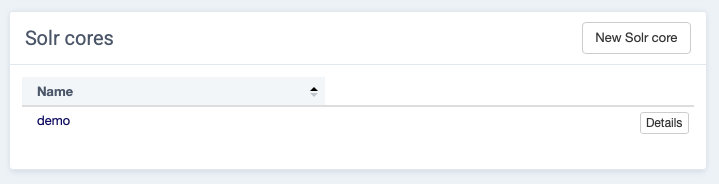
Select Details in the Solr cores widget for the core that needs to be removed.
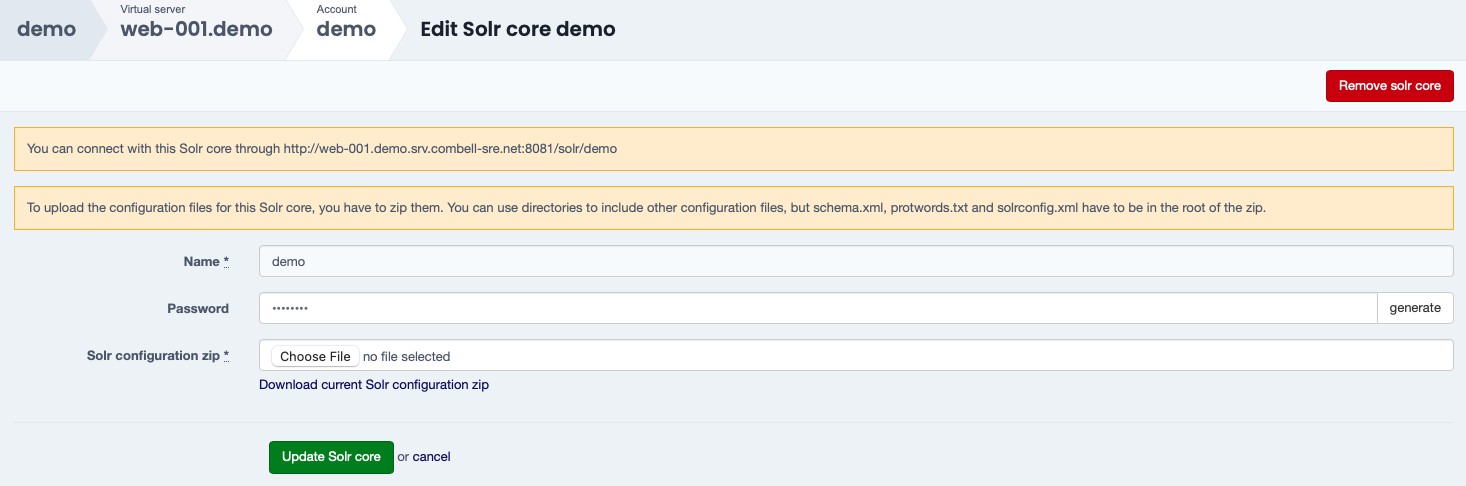
In the Edit Solr core menu select Remove solr core.
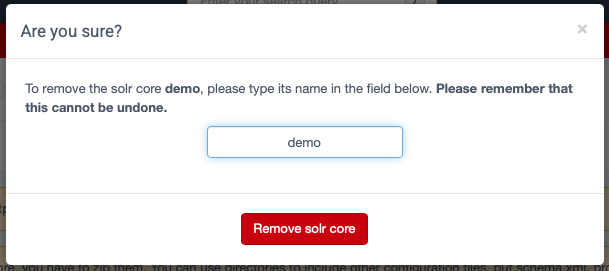
A dialog box will appear to confirm the deletion of the Solr core.
Enter the name of the Solr core and confirm with Remove solr core.